
Best Legal Software for Law Firms: Tools, AI, and Platforms
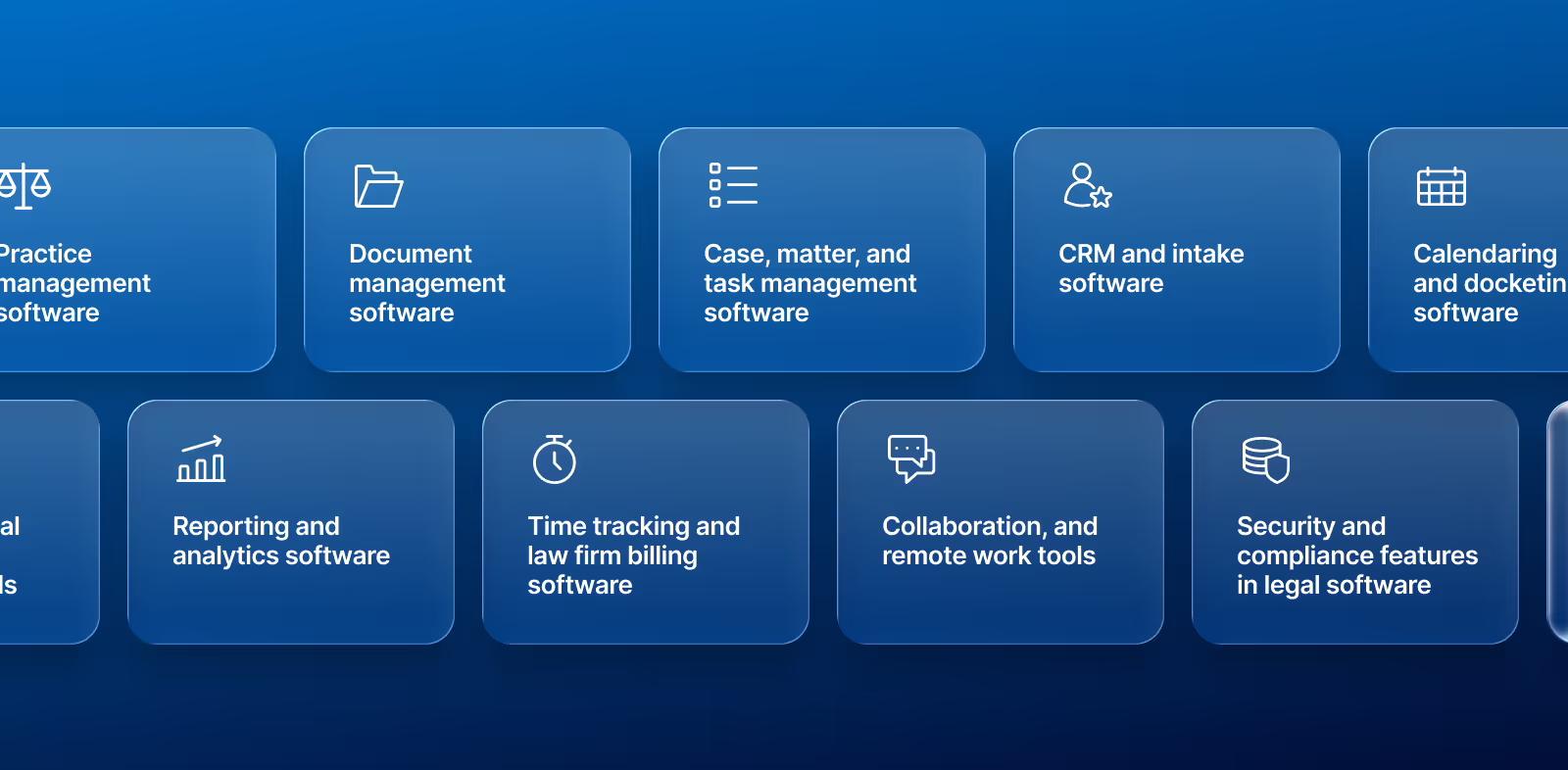
Not every legaltech decision carries the same weight. The most significant business choices affect how your firm handles new business, navigates active work, manages documents, tracks deadlines, bills accurately, and evaluates performance across the practice. In this article, we break down the systems behind those functions and explain where firms often run into friction. We also highlight the growing role of AI, stronger security expectations, and the advantages of choosing a platform that keeps core workflows in one place.
The software decisions your law firm makes now will shape how it operates over the next several years. Day-to-day work is more complex, client expectations have changed, and the old model of juggling disconnected tools is getting harder to maintain.
That’s part of the reason more firms are reassessing their legal software and taking a broader view of what their systems need to do. They’re looking beyond one-off fixes and thinking more seriously about workflow, security, reporting, and long-term flexibility.
This resource walks through the key categories to review and what each one should help your firm do.
As you look at legal software solutions for your law firm, consider the ones that help you bring your core workflows into one system. Litify does that by supporting everything from legal CRM and intake through billing, reporting, and AI-enabled workflows.
Why law firms need the best legal software
The systems your firm uses can either support your work or slow it down. Here are some of the biggest reasons firms are rethinking their law firm software tools:
- Efficiency: Legal work involves many repetitive tasks. Staff have to move clients through intake, update documents, track case activity, enter billing details, and manage deadlines. Good software helps teams follow the same processes more consistently.
- Security: Your law firm handles sensitive information every day, including client communications, financial data, and medical records. You need to protect that information with strong user access controls, secure storage, and a clear audit trail of changes.
- Compliance: Privacy expectations continue to shift, along with handling requirements. Legaltech for law firms can keep more reliable records and follow consistent internal processes, which becomes more useful as operations grow more complex.
- Scalability: A system that works for a smaller team may not hold up as the firm grows. More users, more matters, and more workflow complexity can expose weak spots quickly. Your software must support the business as it expands.
Key types of legal software for law firms
Most legal teams need support in the same core areas. The bigger difference is whether those functions live in separate products or within one connected platform of action.
These categories cover the main types of legal software law firms rely on, and how each one supports a different part of daily operations:
1. Legal practice management software
Legal practice management software helps law firms manage their work through a single system. That includes client and matter records, workflows, deadlines, tasks, internal activity, and communication history. When those pieces live in the same place, teams have a clearer view of what is happening and what needs attention next.
This category is especially important because legal work crosses so many functions. Intake leads into matter work. Matter work feeds into documents, calendaring, billing, and reporting. When those workflows are split across too many systems, staff spend more time tracking down information and manually updating records.
A robust system provides your firm with a central source for client and matter data. It also helps standardize how work flows through the firm, making onboarding easier for staff, creating greater consistency across practice areas, and enhancing real-time collaboration.
Litify is built for connected legal work. It supports practice management at the core, but it also ties that work to intake, document, billing, and reporting workflows. You get a better operational view than you can from tools that handle only one part of the process.
Some legal platforms can surface AI insights only after someone uploads files into a separate workflow or works through another layer of setup. Litify AI is deeply embedded in the legal platform, so teams can leverage AI on documents and matter data already linked to the case file.
A connected approach can support the unique needs of each type of law firm:
- A plaintiff firm may need plaintiff practice management to support high-volume intake, active case tracking, and consistent communication throughout a case's life.
- A firm with multiple practice areas may need full-service practice management because each practice area often requires greater flexibility from one workflow to the next.
- Larger legal departments may need enterprise legal management (ELM) to balance more complex reporting needs and cross-functional collaboration.
For each of those use cases, the value lies in having integrated workflows in a single environment.
If you’re currently evaluating legaltech for your law firm, be sure to look closely at ease of use, security, scalability, and how well the system integrates with other core functions such as intake, calendaring, task management, and billing.
That’s often the difference between software that looks helpful in a demo and software that holds up in your daily operations.
2. Legal document management software
A lot of legal work comes down to whether your team can get to the right document at the right time. That sounds simple, but it gets harder when files are spread out, or nobody knows which version is the latest. Document management for law firms can solve those problems before they start to affect the work.
A strong setup gives your team a clearer system for organizing files, pulling them up quickly, and working with confidence. Staff need to be able to see which file is current and follow revisions over time.
Security has to work alongside those basics. If you are reviewing document security software, focus on encryption, permissions, audit history, and secure sharing to ensure it can protect sensitive information in documents.
Litify includes document management and generation as part of the broader platform, helping keep files tied to the work already moving through your firm.
3. Case, matter, and task management software
Law firms should choose case management software that provides their staff with a central view of each matter, including assignments, due dates, reminders, and case progress over time. The goal is to be able to open a matter and easily understand its status.
Case tracking software lets legal staff follow the case from one step to the next without losing context along the way. A basic tracker isn't enough if your team still has to manage tasks elsewhere.
And when task activity, deadlines, and case progress are easier to track, teams can communicate more consistently throughout the case.
Litify supports that kind of workflow by tying tasks, activities, and progress to the broader matter record and case activity timeline.
4. CRM and intake software
Your client intake process shapes everything that follows. If a firm uses multiple tools to handle lead capture, conflict checks, communication history, and onboarding, the cracks will show up in a few familiar ways:
- The same information gets entered more than once
- Follow-up becomes less consistent
- Staff lose time moving prospects into the legal workflow
Legal CRM and intake systems link the front end of client acquisition with the rest of the platform, including lead tracking, questionnaires, qualification, communication history, and reporting. A connected setup is especially useful here because intake is not really separate from matter work. It’s actually the beginning of matter work.
Reporting and analytics are part of that value, too. You want the ability to track where leads are coming from and where prospects may be dropping off, so you can make smarter decisions about how your team handles new business and how you approach personal injury marketing.
In the end, firms with strong customer relationship management and intake management processes are better positioned to move quickly once a lead becomes a client.
5. Legal calendaring and docketing software
Calendaring and docketing tools support one of the most risk-sensitive parts of legal operations: dates and scheduling.
Court appearances, filing deadlines, internal due dates, and client appointments all need to stay visible and accurate, but a calendar alone is not enough. Date-related activity needs to link back to the matter and, ideally, to the tasks and communications associated with it.
It should also be simple to update related work when dates move. Staff shouldn’t have to make the same update in multiple places – that only creates risk and extra admin work.
Choose a platform that supports court rules-based scheduling and syncing to Outlook or Google calendars and court docketing tools, which can make calendaring much easier to manage.
6. AI-powered legal research and automation tools
AI legal tools get a lot of attention, but law firms are increasingly looking at them more practically. The real question is whether AI helps your team handle legal work more efficiently than a separate tool can provide.
Firms want support with work that takes time and attention every day, such as reviewing documents, drafting content, identifying risks, and extracting useful insights from large volumes of case information.
With Litify AI, those use cases are built into the solution your team is already using. The Litify Agentic Case Expert (ACE) can generate summaries, draft documents, identify potential risks, and complete workflow tasks without forcing staff to leave the platform. It can analyze case data, surface insights from documents and case records, and respond in real time with the context of the work already in progress.
That broader context is a big part of the value. Litify Agentic Case Expert (ACE) works across your documents and matters, remembers conversation history, and supports legal teams with AI agents and built-in prompts.
Litify’s AI capabilities even extend into more specific legal workflows. For example:
- LitifyAI Damages Assistant helps organize medical histories, reconcile bills against records, and identify high-value case signals.
- LitifyAI Demands helps generate demand letters, organize supporting documents, and refine tone and language with deeper legal context.
- LitifyAI Time Capture helps capture billable work in real time and instantly creates review-ready, compliant time entries.
- Through Agentforce, teams can also check for conflicts, review invoices for billing errors, and identify missing time entries.
That kind of setup is what makes AI-powered legal tools more useful in practice. When AI can work from the same documents, history, and workflow your team already manages, it becomes easier to use consistently and to act on quickly.
7. Legal reporting and analytics software
Reporting helps leadership understand how the firm is operating, but the quality of those insights depends on how the data is collected and where it comes from.
Firms need visibility into intake conversion, matter volume, workload, billing performance, and other performance indicators.
Static reports built after the fact can still be useful, but many teams want quicker answers so they can spot problems earlier and make adjustments while there’s still time to respond.
That becomes harder when reporting depends on separate systems. By the time the data is cleaned up and compiled, the opportunity to act may already be gone.
A system with connected data gives firms a much better starting point. Litify’s reporting and analytics capabilities include personalized dashboards and configurable reports tailored for users across the firm. Because the data is available in real time, you can track case performance, productivity, and revenue generation more closely.
8. Time tracking and law firm billing software
Timekeeping and billing are core business functions, especially for billable-hour models. Profitability can take a hit if time capture is inconsistent or billing workflows are too manual.
That is why legal billing and time-tracking software still carry so much weight in legal operations. Firms need to accurately capture activity, efficiently prepare invoices, and align billing records with the work completed on each matter.
Litify brings those functions together through its time and billing capabilities, providing firms with a much clearer view of daily activity and financial performance.
9. Collaboration, communication, and remote work tools
Legal work depends on communication for team members and clients, which has become even more important as remote legal work shapes how teams operate.
Still, adding more disjointed communication tools usually doesn’t solve the problem. The better path is to keep communication and collaboration tied to the broader legal workflow, so your team doesn't have to jump between separate apps.
Legal communication software supports that in several ways:
- Internal chat gives your team a faster way to communicate without losing sight of the work tied to a case.
- Video conferencing supports client and team meetings by keeping communication in a single channel.
- Knowledge management makes shared information easier to find and reuse across the firm.
- A client portal like Litify’s keeps client communication tied to the broader platform rather than treating it as a separate destination.
- A more integrated setup can support stronger security and smoother adoption across the firm.
10. Security and compliance features in legal software
Legal software security needs to be part of your evaluation from the start. Law firms require tools that help protect confidential information while still allowing the right people to access and use it.
As you consider which legal compliance software to choose, focus on a few core questions:
- User access and permissions: Can your firm control who sees what across the platform? This helps limit exposure to sensitive information and gives teams access based on their role.
- Authentication controls: Is multi-factor authentication treated as a standard safeguard? Strong login protection adds another layer of defense if a password is stolen or reused.
- Audit visibility: Does the system clearly track changes and user activity? A clear audit trail makes it easier to review what happened, when it happened, and who made the change.
- Information sharing: Can your team securely share files and updates? This becomes especially important when documents move between internal teams, clients, co-counsel, or outside partners.
- Compliance support: Does the platform help create a more controlled environment for storing, sharing, and monitoring sensitive information? Software will not create compliance on its own, but it can support more consistent internal processes.
- Encryption standards: How does it handle data encryption for law firms, both in transit and at rest? That protection helps keep information secure as you send it and while it’s stored in the system.
Litify leverages the power of the Salesforce platform, which offers strong configurability, access control, and the level of security many firms are seeking today.
The role of AI in modern legal software
Law firms are using AI in a few clear ways: to accelerate research, handle document work with less manual effort, and spot patterns in their data that would be harder to spot on their own.
Legal research
AI can help teams conduct legal research by sorting through large volumes of case law, pulling out relevant information faster, and narrowing down what needs closer review. Lawyers still need to evaluate the results, but AI can reduce the time to get to useful material.
Document automation
With document automation, AI can support tasks such as reviewing records, summarizing long documents, drafting routine content, and extracting key details from documents your team would otherwise have to read line by line. That can be especially helpful when staff are working through high volumes of medical records, correspondence, contracts, or case files.
Predictive analytics
Predictive analytics is another area getting more attention. AI can identify trends in case activity, flag potential risks earlier, and deliver more insights from the data already in the platform. This information can help you make stronger decisions about workload and where a case may need closer attention.
Interest in legal AI software continues to grow as firms seek the gains in speed and visibility. Still, success depends on how well the AI is woven into daily operations.
A disconnected AI tool may produce an answer, but an embedded AI capability is much more likely to help the team act on it without wasting time.
How to choose the right legal software for your firm
A polished demo is a starting point, not a final decision. You need to know how the software will hold up as your team uses it every day, your workflows become more complex, and reporting becomes part of the job.
A good legal software evaluation should look beyond feature lists. You need to know if it can grow with your firm and if your staff will actually want to work in it. It also needs to meet your security standards and work with your existing tools.
It can help to ask a few harder questions early on, especially these from Litify’s legal software evaluation checklist:
- Will your team be able to learn the system without a steep ramp-up?
- How realistic is the implementation plan for your timeline, budget, and goals?
- Does the vendor offer training, onboarding, and ongoing support after launch?
- Can you configure workflows as your firm changes, or will you have to wait on the vendor for every update?
- Is the product still evolving in ways that match where legal technology is heading, including AI and automation?
Once you have the answers to these questions, you can compare one legaltech platform against another and get a sense of whether the software will hold up in practice.
Why a unified legal management platform beats fragmented tools
It is easy to build up a long list of legal tools over time: one for intake, one for documents, one for billing, one for reporting, and another for communication. Single-use tools can still be useful for specific needs, and many of them do one job well.
The problem is what happens between those jobs when the systems don’t work together cleanly: team members lose time moving between applications and trying to piece together a full view of the work.
A unified legal management platform works better in the long run for several reasons:
- Efficiency: Information can flow more cleanly across the system, reducing duplicate entries and manual work.
- Security: A single controlled environment gives your firm stronger oversight of access, permissions, and sensitive data.
- Scalability: As your firm grows, a connected platform can support new workflows and added complexity without forcing your team to manage additional separate tools.
Why legal software is key to a legal firm’s future success
The firms that operate well over the next several years will be the ones that treat technology as operating infrastructure rather than background support. They’ll choose systems that make work easier to manage and make performance easier to see. That carries through to the client experience as well.
The best legal software for law firms supports tighter operations, stronger security, and a better base for AI and automation. If you’re ready to move toward a more connected way of working, request a demo to find out what Litify looks like in practice.
FAQs
How can law firms ensure they remain secure as technology evolves in the future?
They should look for software that supports strong authentication, role-based access controls, audit logs, encryption, and clear administrative controls. It also helps to choose a vendor with a mature security posture and a product roadmap that keeps pace with changing risks.
How does AI integration benefit law firms in 2026 and beyond?
AI can support faster document review, better information retrieval, draft assistance, transcript analysis, and stronger visibility into case activity. The biggest gains usually come when AI is embedded into the legal workflow rather than sitting in a separate system.
When AI works within the platform your team already uses, it can leverage the full context of the file and fit more naturally into daily work. That makes it easier for staff to use consistently.
What are the key trends in legal software that law firms should anticipate?
Law firms should expect a few major shifts in how legal software is built and used:
- Deeper AI integration
- More integrated systems
- Stronger security expectations
- Greater demand for real-time reporting
- Higher expectations for connected workflows
These trends all point in the same direction: law firms are looking for software that is more connected and more useful in day-to-day operations.
What role does data security play in choosing legal software for a firm?
Data security should be part of the decision from the start. Legal teams need software that helps protect confidential information through encryption, permissions, authentication, and audit visibility.
How do I future-proof my law firm’s technology stack?
Choose software that can scale, support connected workflows, adapt to new reporting and automation needs, and continue improving over time. A unified legal platform provides more flexibility than a stack of disconnected tools.
What are the must-have types of legal software for law firms?
Each law firm has its own practice areas, client relationships, and day-to-day processes. Even with varied workflows and service offerings, legal software should support:
- Practice management
- Document handling
- Case and task tracking
- CRM and intake
- Calendaring
- Billing
- Reporting
- Client communication
- Security
AI is becoming an important layer across many of those categories.
Is a connected platform better than using separate tools?
For many firms, yes. A single platform can reduce duplicate work, improve reporting accuracy, support stronger security controls, and create a smoother experience for both staff and clients.